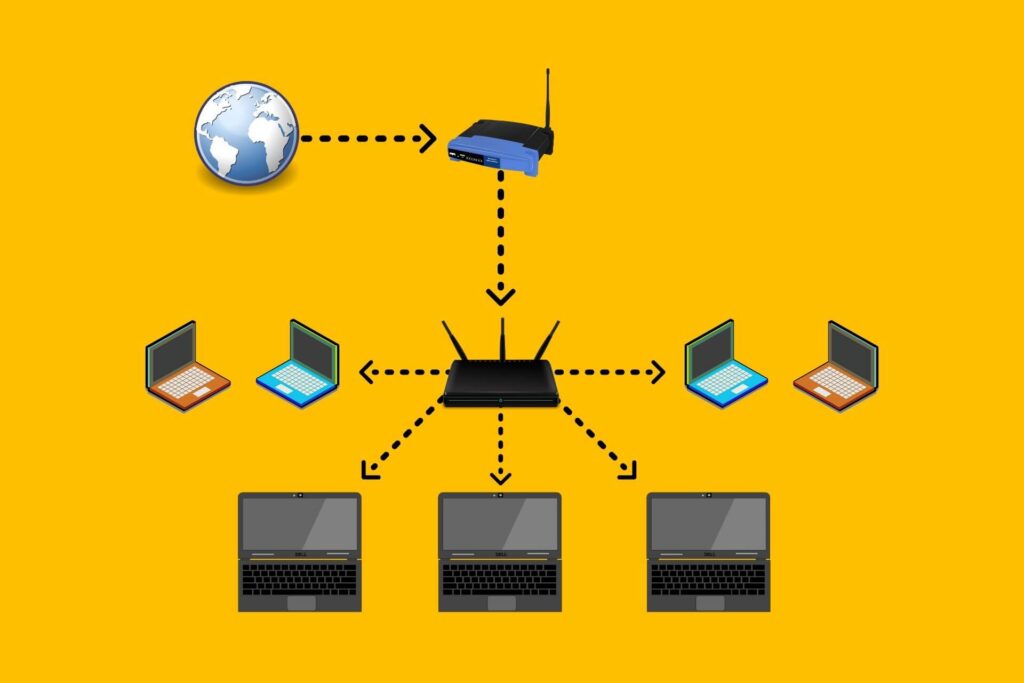
We all know that the pool of public IPv4 addresses was exhausted years ago, but the internet didn’t come to a halt. Instead, technologies like IPv6 and Network Address Translation (NAT) kept everything moving forward. NAT, in particular, has been a lifesaver, allowing multiple devices in your home or office to share a single public IP address. But when NAT is layered more than once—commonly called double NAT—problems arise.
Here, we’ll break down what NAT and double NAT are, why they can be frustrating, and how you can identify and fix them.
Types of NAT
A Quick Primer: What is NAT?
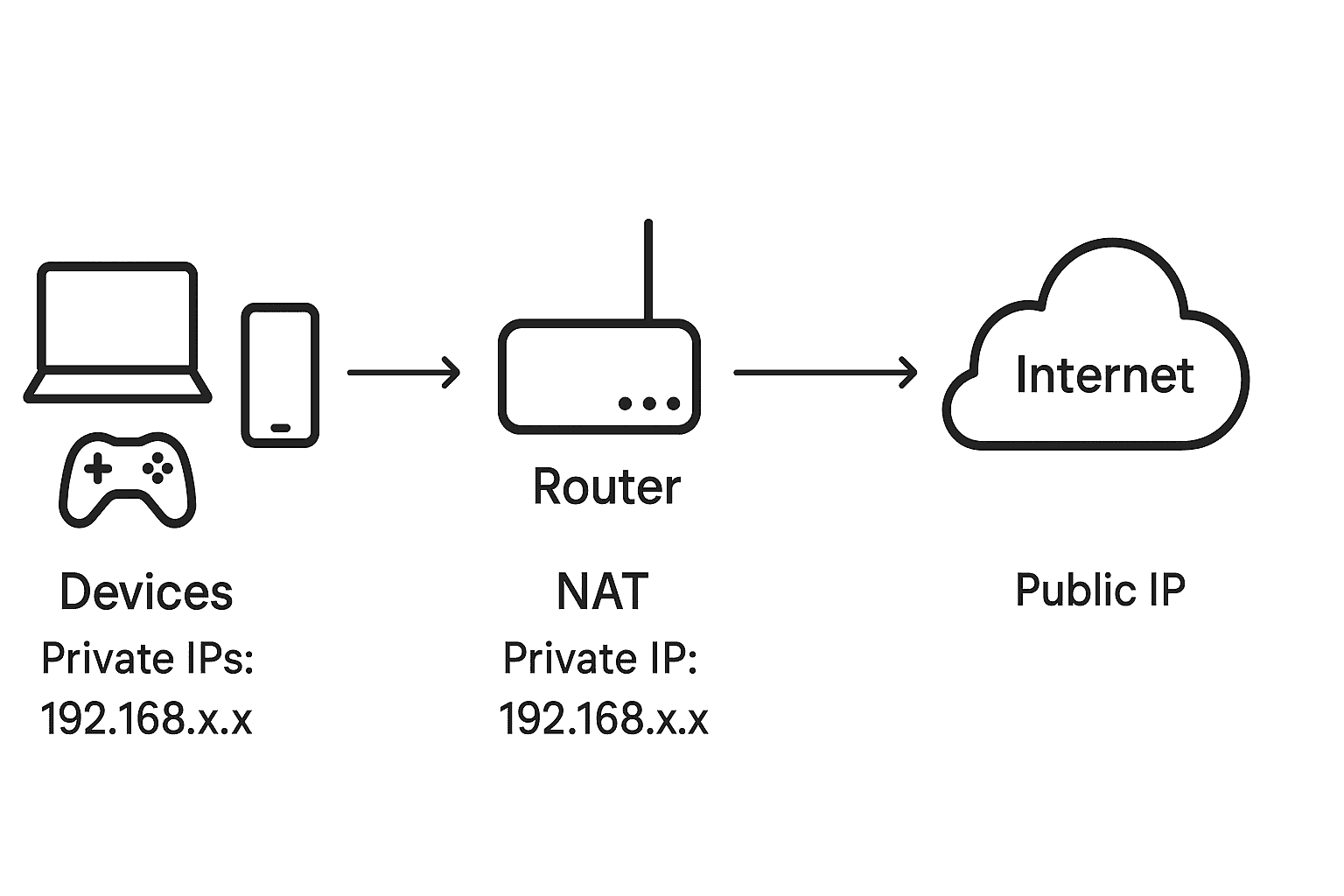
Network Address Translation (NAT) is a process where a router translates private IP addresses (used inside your home network) to a public IP address (used on the internet), and vice versa. This enables multiple devices to access the internet using a single public IP, while also adding a layer of security by hiding your internal network structure.
ISPs (Internet Service Providers) also use NAT at a much larger scale, known as Carrier-Grade NAT (CGNAT), to stretch the limited IPv4 pool across millions of users. While effective, NAT can complicate certain online activities, especially when multiple layers are involved.
What is Double NAT?
Double NAT happens when you have two routers performing NAT at the same time. For example:
- Your ISP provides a router that performs NAT.
- You connect your own router (for more control or better Wi-Fi) behind it, and it also performs NAT.
This creates two layers of private networks before hitting the public internet, a situation sometimes called NAT444:
- Private (ISP router’s LAN)
- Private (your router’s LAN)
- Public (internet)
While harmless for general web browsing, double NAT introduces complexity that can cause headaches for gamers, remote workers, and self-hosters.
Why is Double NAT a Problem?
Each layer of NAT adds delay and complexity. At best, you may see a few extra milliseconds in latency. At worst, you could face broken connectivity in certain apps. Common issues include:
- 🎮 Online gaming problems: Consoles may report “Strict” or “Double NAT” types, making matchmaking or hosting games difficult.
- 📞 VoIP issues: Call quality may degrade or connections may fail.
- 🔑 Port forwarding failures: Necessary for remote access or hosting services, but nearly impossible across multiple NAT layers.
- 🌐 Dynamic DNS (DDNS) problems: Harder to map your public IP to internal devices.
- 📡 Self-hosting difficulties: Running a web server, VPN, or remote desktop behind double NAT is frustrating at best.
For casual browsing and streaming, double NAT often goes unnoticed, but for advanced use cases, it’s a dealbreaker.
How to Detect Double NAT
The fastest way to check is with a traceroute:
- Open Command Prompt (Windows) or Terminal (macOS/Linux).
- Type:
tracert 8.8.8.8 # Windows
traceroute 8.8.8.8 # macOS/Linux
- Check the first two hops:
- If the first hop is a private IP (e.g., 192.168.x.x, 10.x.x.x, 172.16-31.x.x, or 100.64-127.x.x), that’s expected.
- If the second hop is also a private IP, you’re behind double NAT.
You can also log in to your router and check its WAN (internet) IP. If it’s a private IP, your ISP router is already doing NAT.
How to Fix Double NAT
The best solution is to ensure only one device is performing NAT. Here are your options:
- Enable Bridge Mode on ISP Router (recommended)
- Many ISP routers allow you to switch to “bridge mode,” disabling its NAT and routing features. Your own router then handles NAT, firewall, and DHCP.
- Use Your Own Router Only
- If possible, remove the ISP router entirely and connect your router directly to the modem.
- Disable NAT on Secondary Router
- Some advanced routers let you turn off NAT while still using Wi-Fi and switching features. This effectively makes it a bridge.
- Use a DMZ (not ideal)
- You can expose your router or gaming console in the ISP router’s DMZ, bypassing NAT for that device. However, this comes with security risks.
What About CGNAT?
Carrier-Grade NAT is when ISPs place all customers behind a shared NAT. This is common in mobile networks and increasingly in home broadband. While it conserves IPv4 addresses, it brings its own set of problems:
- Port forwarding is usually impossible.
- You may share a public IP with hundreds of users, leading to bans or blacklisting.
- If you add your own router, you’re effectively in triple NAT.
Unfortunately, you can’t fix CGNAT yourself—you’ll need to contact your ISP for a dedicated public IP (sometimes available at extra cost).
Comparing single NAT vs double NAT
| Single NAT | Double NAT | |
| Overview | Translates private IP addresses of devices on a local network to a single public IP address | A second device performs NAT on already translated addresses from the first router |
| Occurrence | Occurs automatically and allows multiple devices to share one public IP address | Often occurs unintentionally when two routers are used in the same network, each performing NAT |
| Use cases | Typically used in home networks with one router | Can happen in more complex network setups, such as when an ISP-provided gateway and a personal router are both used |
| Ease of use and management | Simpler and easier to manage. | Can complicate network management and cause connectivity issues |
| Special configuration required? | Requires no special configuration | Often needs adjustments like enabling bridge mode or removing one of the routers |
Final Thoughts
Double NAT is the bane of online gamers, self-hosters, and power users. While IPv6 could eliminate the need for NAT entirely, its adoption has been slow, and IPv4 will remain relevant for years to come. Until then, knowing how to spot and fix double NAT will save you from endless frustration.
If you’re experiencing strange networking issues, run a quick traceroute and check your setup—you might just be behind double NAT.
✍️ Written by Techlog by SAPLTech
Your source for networking insights, troubleshooting tips, and tech deep dives.